Promote Yourself Professionally with Information Products
by Adele Sommers
What exactly
are information products, and how can they help
you boost your business accomplishments? Although I
didn't invent this phrase, I define "information
products" as any type of knowledge derived from
study, experience, or instruction that is packaged for
human consumption. That may be a pretty broad definition,
but intentionally so! You can use them in myriad ways
to propel your business success.
Information products can range from practical, business-related tools to
a powerful medium for self-expression.
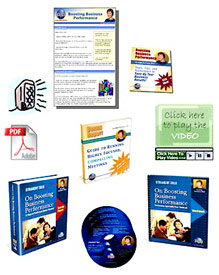 They can entail a
variety of online digital and media-based formats, including
self-published books, e-books, special reports, publications, articles, tools, newsletters,
audio programs, multimedia productions, home study courses,
training programs, tutorials, software systems, games,
tips, recorded interviews, directories,
membership information sites, and more. They can entail a
variety of online digital and media-based formats, including
self-published books, e-books, special reports, publications, articles, tools, newsletters,
audio programs, multimedia productions, home study courses,
training programs, tutorials, software systems, games,
tips, recorded interviews, directories,
membership information sites, and more.
Are you wondering
how this picture fits you, and how information products
can help boost your internal productivity or external
business prospects?
Whether you're
a CEO, manager, consultant, freelance professional, student, entrepreneur, aspiring author, developer,
or instructor, this article can ignite your imagination
regarding ways to use information
products.
First, Plan to Create Once and
Output Many Times...
One of the hallmarks
of information products is that you can create them
once and then aim to repackage them in many different
ways. Once you develop a core set of material, you
can spin it off in diverse combinations for a range of different uses.
For example:
- Your information
products could start off as simple, text-based projects, and then evolve into multimedia productions that include
text, audio, screen capture, full motion video, and
animation.
- You might create single items
or a collection of mixed formats and media for practically
any purpose under the sun.
- They might be displayed or
played only on a Web site, downloaded in digital mode,
or packaged as physical media, such as on a CD/DVD,
in printed format, or both.
Next, Identify Your
Audiences, and Focus on What They Need
You
and your audiences might live in the corporate world,
academia, a nonprofit organization, or in the entrepreneurial
realm, for example. In any case, you can create information
products to help people expand their skills or consume
ideas, wisdom, or knowledge. Below are three examples
that illustrate some of the many applications in professional settings.
Example 1 - Just
"Can" It
Elisa leads a process
improvement team within her organization. Last year,
the team made so much progress that her management asks her group
to give in-depth training to all of the other teams
in the division. Talk about overload! Elisa wonders
whether she and her colleagues can clone themselves
to meet the challenge.
After some brainstorming
and a lengthy discussion, Elisa and crew devise an idea
to "can" the fundamentals of the training
program in a quick-start guide
format.
Each
quick-start guide will include screen captures showing a sample
of a tool, a diagram of where it fits in the overall
process, and a voice-over explaining how and when to
use it. They can play from the company's intranet
or from a CD, and be printed out as job aids.
 Due
to time the constraints, the guides won't be fancy.
Nevertheless, they will record the team's knowledge
for posterity as well as support other teams in applying
the skills. Due
to time the constraints, the guides won't be fancy.
Nevertheless, they will record the team's knowledge
for posterity as well as support other teams in applying
the skills.
Elisa's team can use classroom-based
training to demonstrate how to use the guides and provide
practice for using the tools.
Example 2 - Show,
Tell, and Sell
Angelica is the
principal of a business consulting firm. She faces a
double-headed challenge -- documenting her internal
operations so that she can delegate more of her growing
task list to her staff AND expanding her business model.
To solve the operations
problem and better systematize her business, Angelica
starts by creating a series of checklists. To
keep them from becoming too voluminous with detail,
she decides to narrate several of the longer sequences.
 At
other points, she uses desktop video software tools
to record visual demonstrations. Finally, she links
the audio and video files to the checklists for her
staff to use as needed. At
other points, she uses desktop video software tools
to record visual demonstrations. Finally, she links
the audio and video files to the checklists for her
staff to use as needed.
While creating the
checklists, Angelica suddenly has an insight --
she's just created a new business consulting model!
Her clients also have the same problems she does, so
she can begin offering a service (performed by her staff)
to create "show and tell" business procedures.
After a brief promotional period, she soon has several very interested
clients.
Example 3 - Ask
and Receive
Allen runs fundraising
campaigns for a nonprofit organization. He reaches out
to local foundations and charitable donors to seek funding
for the group's ongoing community programs. Allen
realizes that educating potential contributors is a
high-priority need. He'd love to commission a documentary
video to showcase what his organization has accomplished,
but unfortunately, his budget won't stretch that
far.
 So,
he considers another alternative -- a simple but
polished "infomercial" that can play
from his organization's Web site. This production
can frame the problem, explain how the problem affects
the community, and tell what his group is doing about
it. So,
he considers another alternative -- a simple but
polished "infomercial" that can play
from his organization's Web site. This production
can frame the problem, explain how the problem affects
the community, and tell what his group is doing about
it.
Using an inspirational,
slide-based presentation complete with narration, success stories,
images, charts, graphs, and illustrations, he feels
certain that he can convey the group's message
more powerfully than any text-based promotional materials
can do alone.
Plus, Allen can distribute the presentation online and on CDs at the next fundraising dinner.
In conclusion, these are just a few of the many situations that lend
themselves to creating information products. You can
produce items with audio and video elements relatively
easily, thanks to an array of inexpensive software tools.
Even with limited time or budget, you can develop simple,
elegant, and imaginative ways to deliver ideas and information
to your colleagues, clients, customers, and contributors.
©2009 Adele Sommers
|